online since 2009
Progress Bar Chart for Fundraising
Track your campaign with a horizontal progress bar that embeds on any website.
Works wherever an <img> tag is accepted — WordPress, Squarespace, email, and more.
Landscape & wide-format styles
These horizontal styles work as embeddable progress bars. Pro styles require a license key.
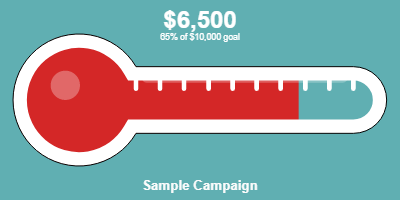
Neon
glowing horizontal bar
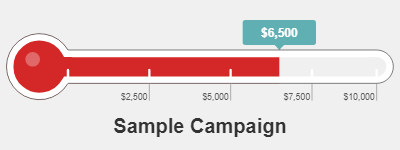
Annotated
level marker & dollar stats
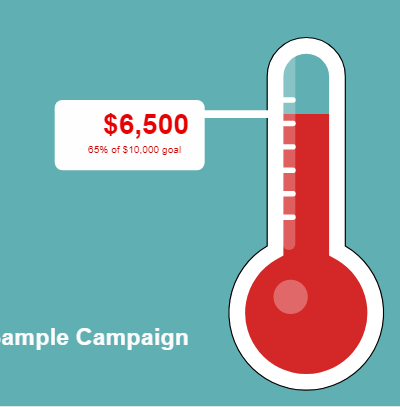
Flat
sticker-style, bold callout
Dedicated progress bar style coming soon.
A pure horizontal fill bar — minimal, responsive, no bulb — is on the roadmap.
The landscape styles above embed horizontally and work well as progress bars now.
Let us know if this is a priority for you →
When to use a progress bar chart
Progress bars are compact and read naturally in any layout.
Campaign pages
A horizontal bar fits neatly in a sidebar or below a campaign description without the vertical space a thermometer needs.
Email campaigns
A wide-format bar embeds cleanly in campaign emails — compelling and mobile-friendly.
Crowdfunding pages
Show backers how far along a crowdfunding project is with a clean, uncluttered progress bar.
Membership drives
Track member sign-ups or renewals toward a goal — the horizontal format pairs well with membership count text.
How to embed a fundraising progress bar
1
Enter your goal
Set your campaign title, goal amount, and current amount. No account required.
2
Pick a landscape style
Select Neon, Annotated, or Flat from the style picker. These are wide-format and embed horizontally.
3
Paste the snippet
Copy the
<img> tag and paste it anywhere. Set the width in the tag to control how wide the bar appears.Frequently asked questions
What is a fundraising progress bar?
A fundraising progress bar is a horizontal visual chart that fills from left to right as donations come in, showing what percentage of the goal has been reached. It's a compact alternative to a vertical thermometer — useful when horizontal space is available but vertical space is limited.
How is a progress bar different from a fundraising thermometer?
A fundraising thermometer is vertical; a progress bar is horizontal. Both convey the same information — dollars raised vs. goal — but in different orientations and visual styles. Thermometers have a long association with nonprofit campaigns; progress bars feel more modern and compact. Which to choose depends on where you're embedding and your audience's expectations.
Can I embed a progress bar in an email?
Yes. Because the embed code is a plain
<img> tag, it works in HTML emails. Email clients that display images will show the progress bar. It's one of the few reliable ways to show a dynamic fundraising chart inside an email without JavaScript.Can I control the width of the progress bar?
Yes — add a
width attribute to the <img> tag to set the display width. The image scales proportionally, so a wider setting makes the bar longer. For responsive layouts, use style="max-width:100%;height:auto;" and the bar will fit any container.Create a fundraising progress bar
Free to start. Pro styles from $49/year.
Get started free →